Unable to Sign in to Device Due to a Recent Password Change . Please Try to Sign in Again 24 Hours
My brother recently bought a used mobile phone (Moto E) from an online reseller. When he received the mobile phone, it was in skillful physical status. Only when my brother tried to log into the device, the Android operating organization flashed an error message "This device was reset. To continue sign in with a Google Account that was previously synced on this device". Despite a lot of attempts to sign in with his own Gmail account, he did not succeed as the phone will stop right at this fault bulletin.
We investigated the issue and found that this error was coming due to a anti-theft characteristic which is available in Android 5.one (Lollipop) and above. This feature is chosen Manufacturing plant Reset Protection (FRP). All the phones from manufacturers like Samsung, Moto, HTC, Sony, Lenovo etc. that are using Android Lollipop or to a higher place will have this feature. Once signed in with a Google Account, Android volition not let you to alter the Google Business relationship. This is done so that, if your phone is stolen, the telephone becomes useless for the thief.
Nevertheless, the same feature becomes a large problem if y'all have legally bought the phone and the previous owner has non removed his Google account completely from the device before handing it over to you. While ownership a used mobile telephone, it is good to have the old Google Account removed by the previous owner.
Just if you haven't washed that and are now facing the "This device was reset. To continue sign in with a Google Account that was previously synced on this device" error, yous would want to featherbed this verification so that you can use your newly bought phone. In today'southward article, we volition tell you how you can do this!
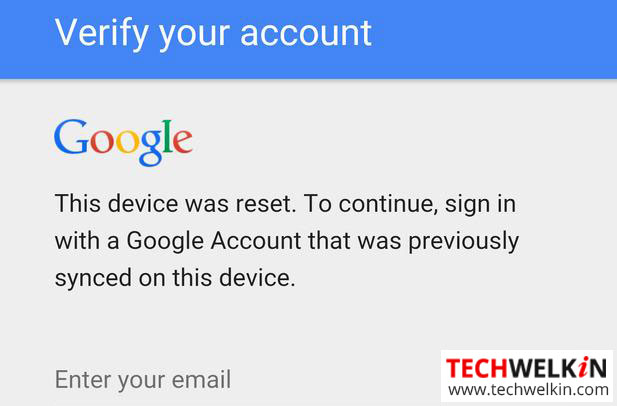
Why you are getting "Device Reset. Sign in with a Google Account that was Previously Synced" Error?
Lets consider this scenario that you own a mobile phone with Android 5.1 or above and you intentionally do a mill reset (also called hard reset) or data wipe. People usually take this action when they want to format their phone because information technology is getting hung a lot or when they desire to sell their phone. Now when you (or someone else) will try to switch on the device, it will inquire for the credentials of the aforementioned Google Account that was logged in at the fourth dimension of factory reset or data wipe. Although, this feature is anti-theft and protects your device — but it sometimes becomes a nuisance.
Remember, in Android 5.1 or to a higher place, the device protection feature automatically turns on if following two things are true:
- The device has logged in with a Google Account
- Screen lock security is fix to anything other than none or swipe (this means there is a countersign or pattern to unlock your phone)
At present there is no option bachelor in Android to manually disable device protection. Just if any one the above two atmospheric condition are non met, the device protection feature will be automatically turned off.
Therefore, if you want to give your phone to someone else or if you only desire to do an easy factory reset of your telephone, it is meliorate to take any of the following steps earlier doing manufacturing plant reset:
- Remove ALL Google Accounts from the phone
- Set lock screen security to none or swipe.
Later on this if you will difficult reset your phone, Android will not enquire yous to verify Google Account credentials of the previously logged in business relationship. You volition be able to log in using any Google Account.
Merely if you have encountered the sign in with a Google Account that was previously synced on this device error AND you practice not take account id and password; you would want to bypass this verification.
Featherbed Google Account Verification later on Factory Reset or Data Wipe
When you become "This device was reset. To continue sign in with a Google Business relationship that was previously synced on this device" mistake, the best option is to contact the seller and ask him to login with his Google Account. Once logged in, yous add together your own Google business relationship and delete the seller's account. Afterward that you can do factory reset and when business relationship verification screen comes, merely login with your business relationship details.
Nonetheless, if the seller is unreachable, you can take the following steps to bypass this Google account verification:
- Charge your phone to 100% and notwithstanding keep the phone continued to the charger (it is important!)
- Switch on the phone and become to the screen where it is asking y'all to enter your email address. In the e-mail box, type subscribe and select the discussion by doing a long press on it. A minor carte du jour will pop-up
- Select More than and and so Aid. Google App volition open up.
- In the Search bar of Google app, blazon chrome and from the suggestions list, select Chrome Awarding (shown with the Chrome icon). This volition open Chrome browser.
- Blazon examination dcp app in the search bar of Chrome browser and open the beginning link. When page opens, find the link/button to download dcp apk file. Click the link and download the file.
- Hit the back button on your phone to become back to the Google app. In Google app now type downloads and open Downloads app from the suggestions list.
- In Downloads app, yous will come across the downloaded Exam DCP app file. Install the exam dcp app. At this point, your phone must exist 100% charged and connected with charger.
- After installation of the Examination DCP app is finished, open this app. This app will remove the FRP lock (Google account verification lock)
- When Test DCP app opens, follow the instructions and get for Encryption option.
- At present your phone may restart multiple times. Whenever it asks for permissions — merely requite the required permissions. Eventually, your phone will open the Habitation screen without asking for a Google account.
- Go to Settings and practise a factory reset and restart your phone.
- That'due south information technology. When telephone volition restart, you will not be asked to verify the previously synced Google account.
The post-obit video shows the process followed as per the higher up given steps.
Bypass Google Business relationship Verification on Samsung Phones
If the in a higher place method does not piece of work for you and if you are facing the previously synced Google account error on a Samsung phone, you tin can bypass the FRP lock by using an OTG information cable/drive. To try this method, you would need the following things:
- A Samsung telephone that supports OTG data cable
- An OTG data cable with pendrive or microSD carte support (become information technology from Amazon)
- FRP lock bypass app from Root Junky (download the apk file from here and save it on the OTG connected pendrive/microSD menu)
At present merely follow the instructions given in the post-obit video:
We hope that this commodity was helpful for y'all in bypassing the FRP lock and solve the previously synced Google account error. If y'all can suggest whatever other method to go around this trouble, please share with u.s.a.. Thank y'all for using TechWelkin!
Source: https://techwelkin.com/device-reset-sign-in-google-account-previously-synced
0 Response to "Unable to Sign in to Device Due to a Recent Password Change . Please Try to Sign in Again 24 Hours"
Post a Comment